Oct 14, 2026Installation & Maintenance
Digital Signage Screen Fault Diagnostics: Repair Protocols for Black Screens, Lines, and Flickering
Troubleshoot digital signage screen faults: professional diagnostic workflows for black screens, flickering displays, horizontal lines, and backlight issues.
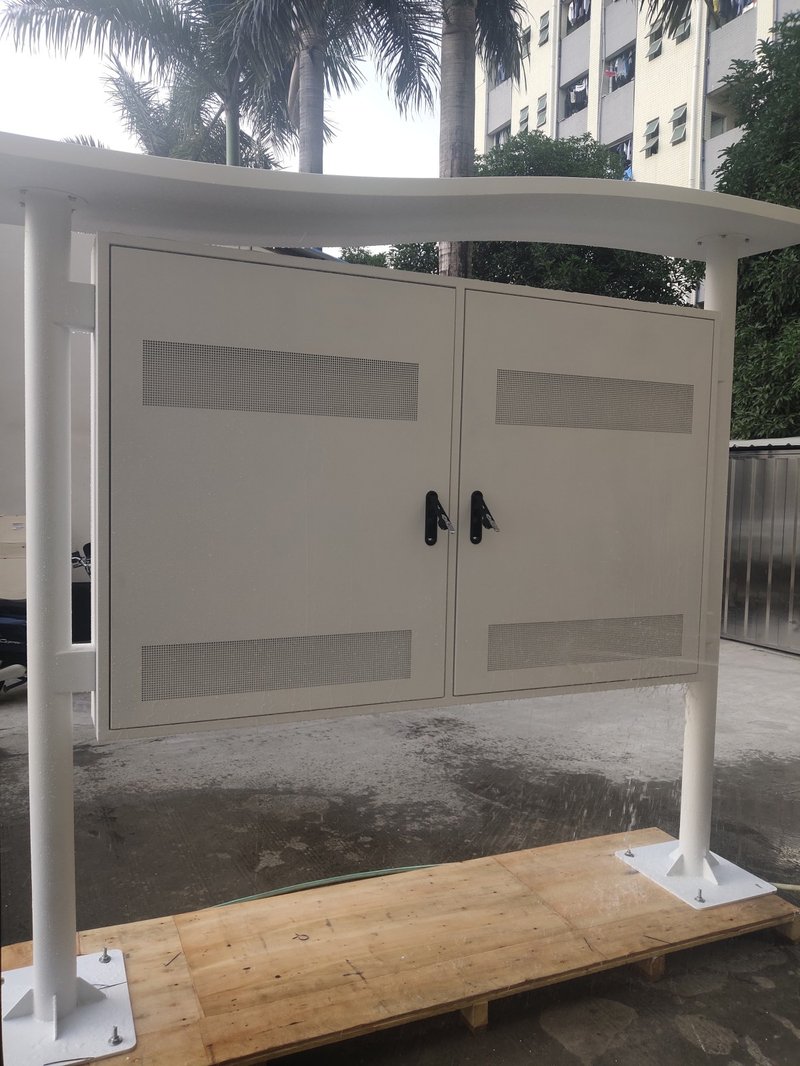
Deploying a high-performance Digital Signage Screen Fault Diagnostics provides commercial spaces and public venues with an all-weather digital display solution. Electronic equipment may inevitably experience minor technical issues during prolonged operation. In such situations, having a clear advance understanding of common failure modes and their troubleshooting solutions is invaluable. Commercial digital signage displays, now widely deployed across various sectors, may occasionally encounter operational faults. Below, commercial display technical specialists break down common digital signage screen failure analyses and corresponding repair methods:
1. Cyber Security and Software Tampering with a Digital Signage Screen Fault Diagnostics
If a digital signage software platform experiences malicious cyber attacks or unauthorized breaches, symptoms such as scrambled typography, jumping webpages, unauthorized camera activation, and severe screen jittering may manifest. If this occurs, immediately disconnect the device from the network and contact the manufacturer to coordinate technical forensics and legal resolution.
2. Power Supply Voltage Instability
Commercial advertising displays incorporate integrated internal voltage stabilization circuits. However, if external electrical supply fluctuations exceed designated tolerances, display anomalies—such as screen flickering, rolling horizontal lines, or intermittent blackouts—may occur. The primary remedy is ensuring a stable, grounded power input. If the anomaly persists, replace the internal power supply board. Fortunately, with high-quality industrial components, catastrophic power board failure is exceedingly rare.
3. Firmware and Software Update Incompatibilities
While infrequent, software glitches or firmware bugs following system updates can occasionally trigger display malfunctions or app freezing. Contacting the manufacturer's technical support team to perform a firmware rollback or apply an official patch typically resolves the issue swiftly.
4. Screen Surface Scratches and Physical Abrasions
If the screen surface suffers mechanical scratches, surface cracks, or outer tempered glass damage due to vandalism or accidental impact, consult the manufacturer for front protective glass replacement or bezel restoration.
5. Screen Shattering and Overall Screen Dimming
Cracked or shattered LCD panels are predominantly caused by mechanical impact during transit or improper handling during installation. Reputable manufacturers provide replacement support. Overall screen dimming, on the other hand, is generally related to the aging and degradation of the LED backlight strips over extended operational hours; replacing the worn backlight assembly fully restores normal display luminance.
6. Symmetrical or Rectangular Dark Zones Across the Display
When distinct, uniformly shaped geometric sections of the display suddenly dim, this symptom is typically caused by a defective constant-current driver board (LED driver board) that powers specific backlight channels in high-brightness panels. Contact the manufacturer to replace the faulty constant-current board.
7. Irregular Dark Patches or Black Spots on the Screen
The appearance of irregular, non-uniform dark patches or blotches (often referred to as thermal clearing defects or solar blackening) is typically driven by inadequate internal heat dissipation under high ambient temperatures and solar radiation. Contacting the manufacturer to inspect and optimize the thermal management system (such as cleaning air filters, servicing cooling fans, or adjusting temperature thresholds) resolves the underlying thermal bottleneck.
Conclusion
While various technical issues can arise over a product's lifecycle, partnering with an experienced, professional digital signage manufacturer ensures that these risks are engineered out during the initial design and production phases. By incorporating industrial-grade components, robust thermal design, and rigorous quality control, reputable manufacturers deliver superior commercial and outdoor digital displays that provide operators with reliable, worry-free long-term performance. In conclusion, selecting a professional Digital Signage Screen Fault Diagnostics guarantees long-term operational stability, superior sunlight readability, and maximum commercial impact.
Looking for customized Digital Signage Screen Fault Diagnostics solutions, high-brightness outdoor digital signage kiosks, or weatherproof commercial displays? Feel free to contact the ZXTLCD engineering team for detailed technical specifications, mounting drawings, and volume pricing.