Buying Guides
Outdoor Digital Signage Maintenance: A Practical Routine for Reliable Operation
A practical maintenance routine covering safe cleaning, power, cooling, seals and inspection records for outdoor digital signage.

Outdoor displays operate under sunlight, dust, rain, temperature changes and long daily schedules. Effective outdoor digital signage maintenance is therefore preventive rather than reactive. A clear routine helps operators find blocked airflow, loose connections, damaged seals and image problems before they become service interruptions. It also keeps the screen readable and the enclosure presentable throughout the equipment life cycle.
Daily Visual Check: Find Active Problems First
Before cleaning, stop playback through the normal shutdown procedure, allow the system to close, and then isolate the main power. Use a clean, soft and lint-free cloth on the front glass. If an approved cleaning liquid is required, apply a small amount to the cloth rather than spraying the screen, speaker openings, locks or enclosure joints. This prevents liquid from being pushed toward seals and electronic parts.
The purpose is not simply to make the surface look cleaner; it is to identify change since the previous cycle. After the work described here, verify image, enclosure and related functions under normal conditions and leave a useful result for the next visit.
Monthly Work: Cleaning Is More Than Wiping the Front
Filters, air inlets, outlets and fans gradually collect dust. The inspection interval should reflect local contamination and operating hours rather than a fixed universal date. Remove leaves and debris, listen for abnormal fan noise, and review temperature alarms or repeated restarts. Posters, decorative covers and later construction must never block designed airflow. Outdoor digital signage maintenance is incomplete if cooling performance is not checked.
The purpose is not simply to make the surface look cleaner; it is to identify change since the previous cycle. After the work described here, verify image, enclosure and related functions under normal conditions and leave a useful result for the next visit.

Quarterly Inspection: Prepare Records Before Opening the Cabinet
Outdoor protection must be preserved after installation. Whenever a service door is opened, inspect the gasket for displacement, aging or trapped debris and confirm that every lock closes with even pressure. Power and network cable entries should remain fixed and sealed so water cannot track along a cable into the enclosure. Any damaged sealing material should be corrected before the unit returns to service.
The purpose is not simply to make the surface look cleaner; it is to identify change since the previous cycle. After the work described here, verify image, enclosure and related functions under normal conditions and leave a useful result for the next visit.

Annual Review: Confirm That the Site and Equipment Still Match
Record cleaning dates, temperatures, fan condition, image defects, power events, fasteners and seal observations. Trends across several visits are more useful than a single visual check because they reveal gradual deterioration. Electrical repair and internal high-voltage work should be completed by qualified personnel, never through unplanned live disassembly. A documented outdoor digital signage maintenance plan also makes handovers between operators more reliable.
The purpose is not simply to make the surface look cleaner; it is to identify change since the previous cycle. After the work described here, verify image, enclosure and related functions under normal conditions and leave a useful result for the next visit.
Closing the Maintenance Loop
Put daily, monthly, quarterly and annual tasks into one service record. Daily observations reveal change, scheduled work removes accumulated risk, and the annual review checks whether operating conditions have shifted. This makes outdoor digital signage maintenance a routine responsibility instead of an emergency response after a black screen.
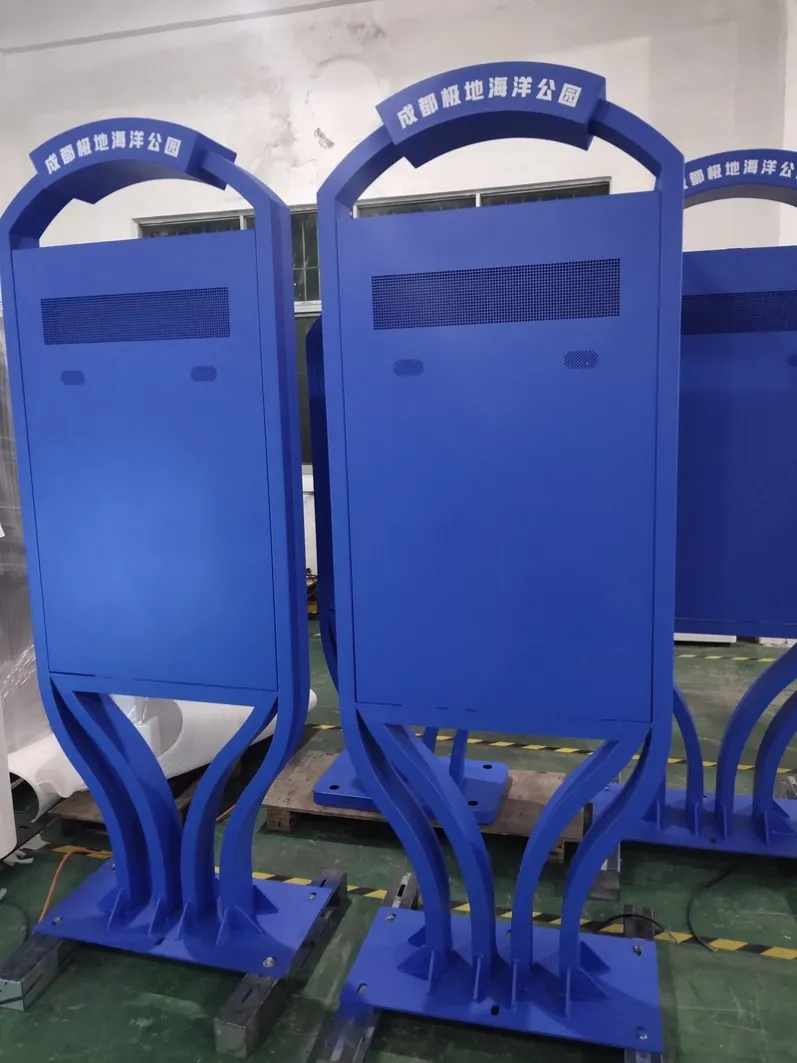
The checklist should separate observations from conditions that require immediate action. Light exterior dust may enter the next cleaning task, while abnormal fan noise, repeated temperature alarms, a door that cannot seal, damaged cable protection or a loose base needs escalation. Daily checks do not require cabinet access: confirm scheduled start-up, complete content, cabinet alignment and surrounding drainage.
Monthly work focuses on exterior condition and operating records; quarterly work covers cooling and seals; annual review uses service history to assess aging and site changes. Increase inspection after construction, extreme heat, dust storms, heavy rain or major traffic changes. A checklist becomes useful only when tasks, owners, thresholds and completion evidence are all clear.
Verify the visit with a fixed test image, a standard video and one remote content update, then photograph the screen, cabinet sides and base. The next cycle can compare real condition as well as written notes. If a task cannot be completed, record the reason and follow-up date instead of marking the entire visit complete.
Before confirming a project, share installation photographs, orientation, operating hours, local power information, viewing distance and maintenance-access requirements. These details help coordinate construction, thermal management, mounting and control for the intended outdoor digital signage maintenance application.
Featured Commercial Hardware: Discover our flagship 55" IP65 Outdoor Advertising Kiosk, 65" Direct Sunlight High-Brightness Display, and 75" 2500 Nits Waterproof Outdoor Totem with factory-direct OEM/ODM customization.