Oct 14, 2026Installation & Maintenance
4 Crucial Wall-Mounted Outdoor Signage Installation Principles for Secure Commercial Deployment
Master 4 wall-mounted outdoor signage installation principles: load-bearing wall checks, ergonomic viewing height, concealed wiring, and heat ventilation.
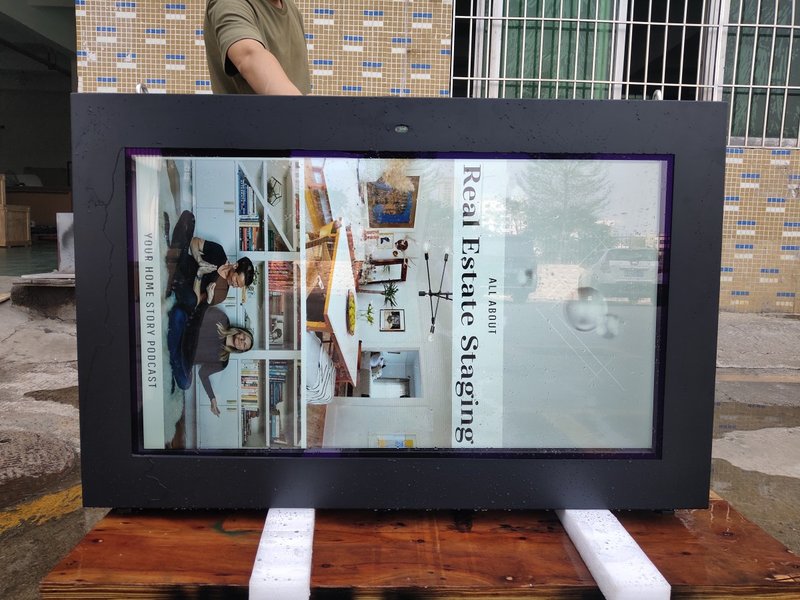
Deploying a high-performance Wall-Mounted Outdoor Signage Installation Principles provides commercial spaces and public venues with an all-weather digital display solution. Wall-mounted LCD advertising displays are extensively utilized across shopping malls, hotels, restaurants, corporate lobbies, exhibition halls, and public spaces due to their space-saving footprint and direct, eye-level visual presentation.
Compared to floor-standing kiosks, wall-mounted displays make efficient use of vertical wall real estate, integrating seamlessly into interior architectural surroundings. However, because these displays remain permanently anchored to walls, the rigor of the installation process directly impacts long-term operational stability and safety.
Consequently, when deploying wall-mounted LCD advertising displays, project managers must focus on four fundamental principles: wall structural integrity, installation height and viewing angles, bracket selection, and electrical cabling layout.
1. Verify Wall Structural Integrity to Ensure Mounting Stability with a Wall-Mounted Outdoor Signage Installation Principles
The total weight of a wall-mounted LCD advertising display is borne jointly by the wall structure and the mounting bracket. Therefore, wall structural strength is the first and most critical factor to verify prior to installation.
Under standard conditions, solid poured concrete walls and dense solid-brick walls provide optimal load-bearing strength, serving as reliable mounting foundations.
If the intended installation location consists of lightweight partition walls, hollow cinder blocks, or thick drywall with hollow cavities, a structural load assessment must be conducted beforehand, and internal structural reinforcements (such as steel backing plates or stud bracing) must be implemented.
Neglecting wall conditions can cause the mounting bracket to loosen over time under sustained mechanical cantilever stress, potentially resulting in wall damage or display detachment hazards.
2. Optimize Installation Height and Viewing Angles
The physical mounting location of a wall-mounted LCD display directly governs visual ergonomics and audience engagement.
Mounting height should be calculated systematically based on screen diagonal size, average viewing distance, and specific deployment environments.
For instance, displays installed in shopping mall pedestrian concourses should align naturally with pedestrian sightlines, whereas units in corporate executive lobbies must complement overall architectural proportions.
Mounting a display too high forces viewers to crane their necks, degrading viewer comfort and message retention; mounting it too low exposes the hardware to accidental pedestrian bumps.
Furthermore, for interactive touch-enabled displays, ergonomic accessibility for users of varying heights must be carefully factored into the installation height.
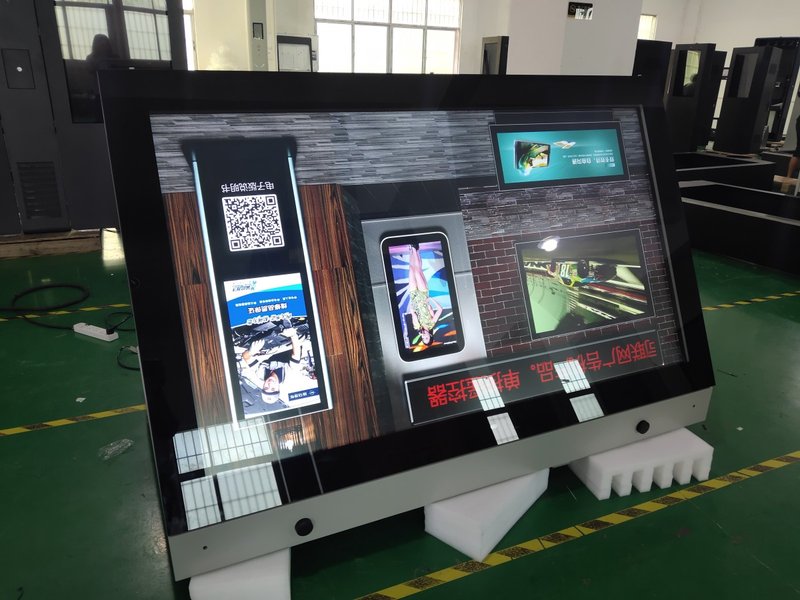
3. Select Heavy-Duty, Reliable Mounting Brackets
The wall-mounting bracket is the critical hardware component bridging the display chassis and the wall.
Displays of varying screen dimensions and weights require brackets with precisely matched load capacities and certified safety factors.
Common bracket architectures include fixed-mount brackets and adjustable tilt/swivel brackets:
Fixed-mount brackets feature a low-profile, rigid design ideal for standardized eye-level viewing;
Adjustable tilt/swivel brackets permit angle adjustments to counteract optical reflections or optimize sightlines in elevated installations.
When choosing a bracket, verify rated payload capacity, VESA hole pattern compatibility, steel gauge thickness, and the completeness of high-grade mounting hardware and expansion fasteners.
4. Strategically Plan Power Supply and Cable Routing in Advance
Many operational display issues stem not from hardware malfunctions, but from poorly planned cabling infrastructure.
Prior to mounting the display, determine exact AC power receptacle locations, Ethernet network jacks, and conduit routing paths.
A clean, concealed cable layout not only enhances visual aesthetics but also significantly simplifies routine maintenance and inspections.
In high-traffic public areas, install protective conduit channels to prevent power and data cables from being pinched, pulled, or tampered with by the public.
Comprehensive Post-Installation Commissioning Checklist
Once the wall-mounted LCD display is securely anchored, execute a thorough operational checkout:
Screen display quality: verify uniform brightness, color accuracy, and absence of dead pixels;
Playback smoothness: ensure seamless video and dynamic content rendering;
Electrical stability: check power supply connections for secure seating and voltage consistency;
Network communication: confirm steady Wi-Fi or wired LAN data transmission;
Structural anchoring: verify that all bracket locking screws and wall anchors are rigidly tightened.
For units equipped with touch functionality, rigorously calibrate touch sensitivity, multi-point responsiveness, and UI interactive feedback.
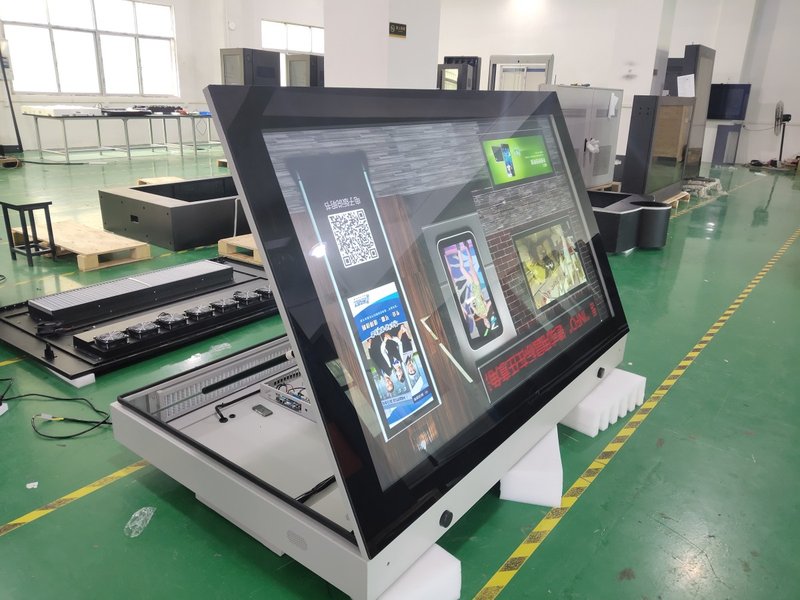
Wall Mounting Involves Far More Than Simple Hardware Fastening
Mounting a commercial LCD display may appear straightforward, but it encompasses structural engineering, dynamic load balancing, visual ergonomics, and lifecycle maintenance.
Carefully planning the installation in advance and selecting premium mounting hardware prevents future operational failures, ensuring stable, worry-free 24/7 performance.
For commercial display projects, a professionally executed installation safeguards public safety while maximizing overall marketing impact and brand prestige.
FAQ
Q1: What types of walls can support wall-mounted LCD advertising displays?
Commercial displays are best mounted on structural concrete or solid-brick walls. Lightweight partitions, hollow blocks, and drywall require dedicated internal structural reinforcement before mounting.
Q2: How do I determine the ideal mounting height for a wall-mounted digital display?
The ideal height is determined by evaluating screen size, viewing distance, audience posture (standing vs. seated), and environmental ergonomics, ensuring the center of the screen aligns comfortably with natural sightlines.
Q3: Is a thicker mounting bracket always better?
Not necessarily. The bracket must be chosen based on display weight, VESA specifications, and site requirements, with primary focus on certified load ratings, steel quality, and structural stability.
Q4: Does a wall-mounted advertising display require routine maintenance after installation?
Yes. Periodic checkups should include inspecting mounting bracket tightness, cable connections, screen surface cleanliness, and overall operational diagnostics. In conclusion, selecting a professional Wall-Mounted Outdoor Signage Installation Principles guarantees long-term operational stability, superior sunlight readability, and maximum commercial impact.
Looking for customized Wall-Mounted Outdoor Signage Installation Principles solutions, high-brightness outdoor digital signage kiosks, or weatherproof commercial displays? Feel free to contact the ZXTLCD engineering team for detailed technical specifications, mounting drawings, and volume pricing.